Deny by default. Allow by design.
What it does: Central decisions (PDP) + per-field obligations at resolve time (PEP).
Unifies: Identity + data policy—same query, different answers by role/attrs/risk.
Analyst AI is disabled by policy; Admin can see AI-enabled responses when permitted.
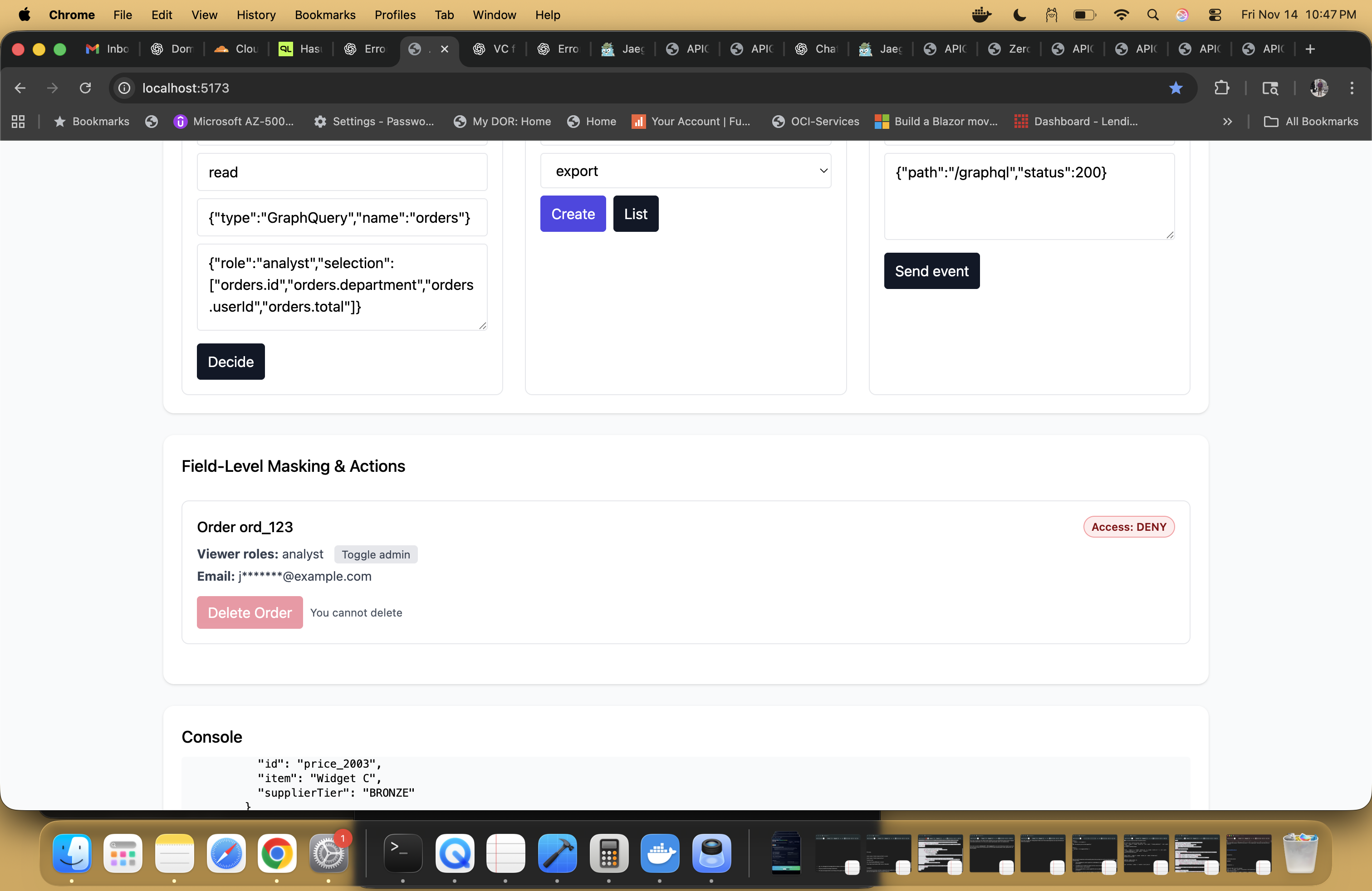
Field-level masking & actions in the APIGQL control plane UI. The same PDP decision that hides email for an analyst also denies the destructive Delete Order action.
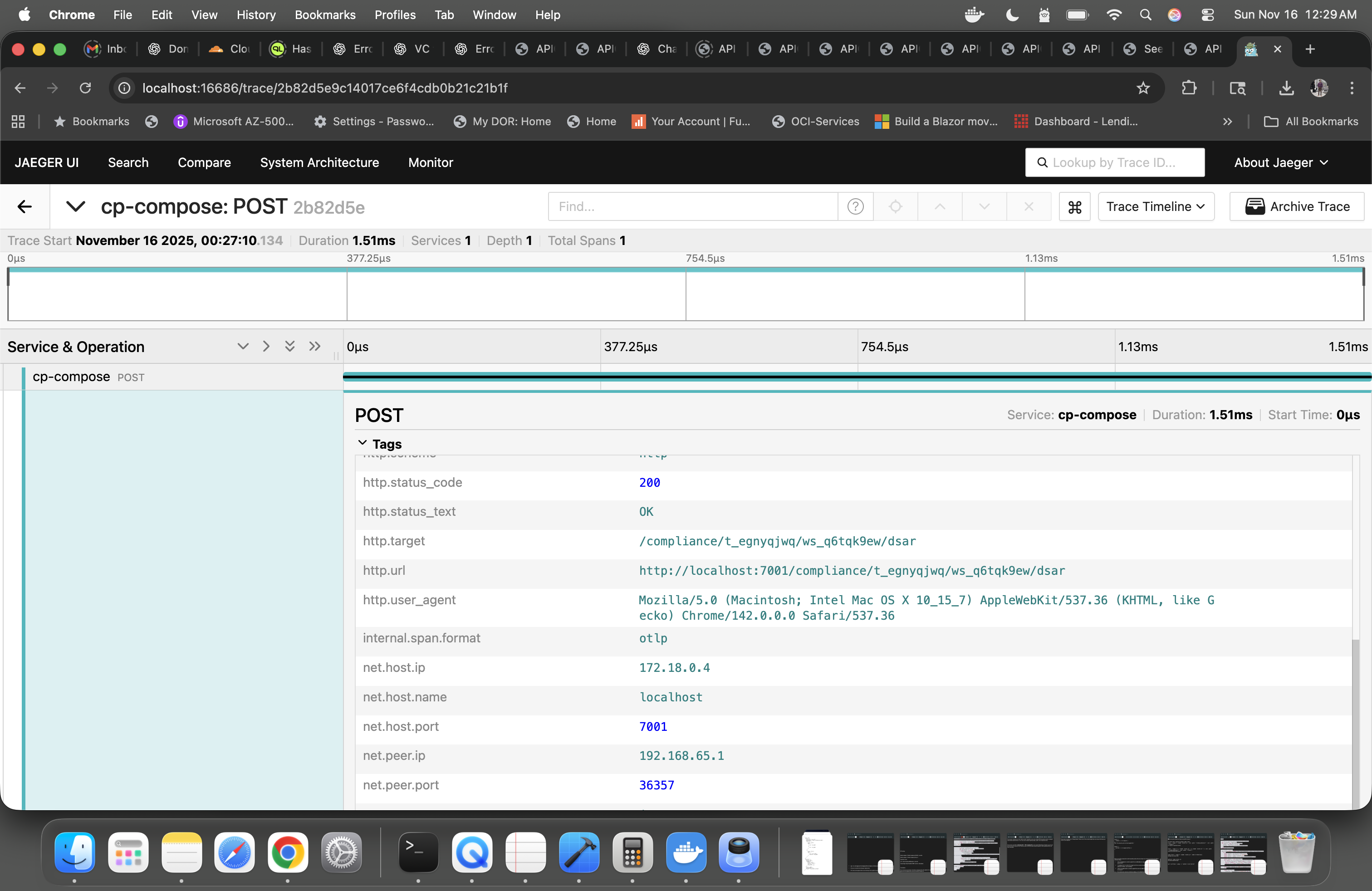
DSAR export call traced via OpenTelemetry in Jaeger. A /compliance/.../dsar POST
completes in ~1.5 ms with all HTTP and network tags attached for audit and SRE debugging.
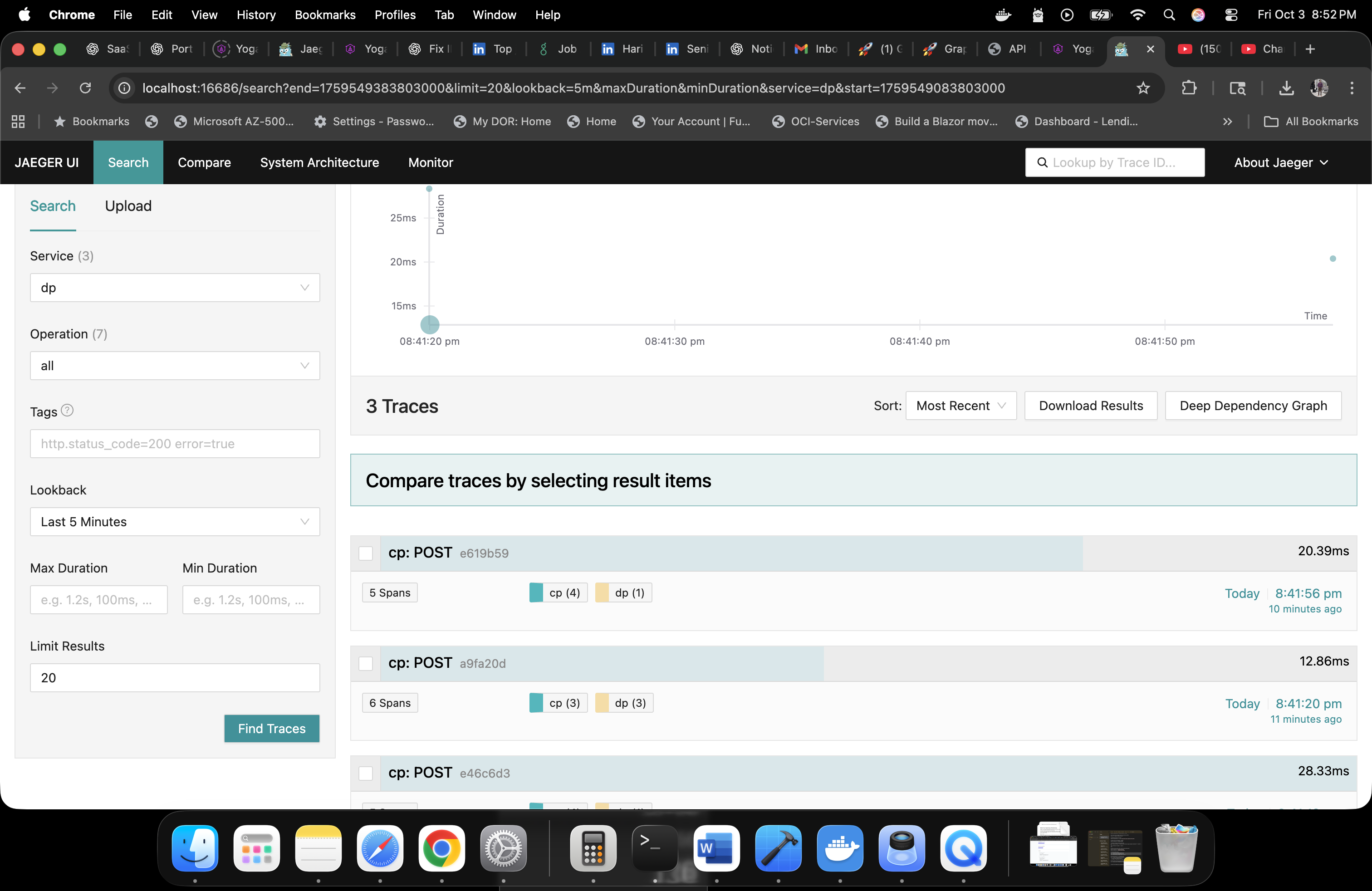
End-to-end trace view for a GraphQL POST: control plane (cp) and data plane (dp)
spans on the same timeline. Here are the traces of CP and DP, each tagged with PDP decisions and DSAR metadata,
so you can see policy and latency together at a glance.
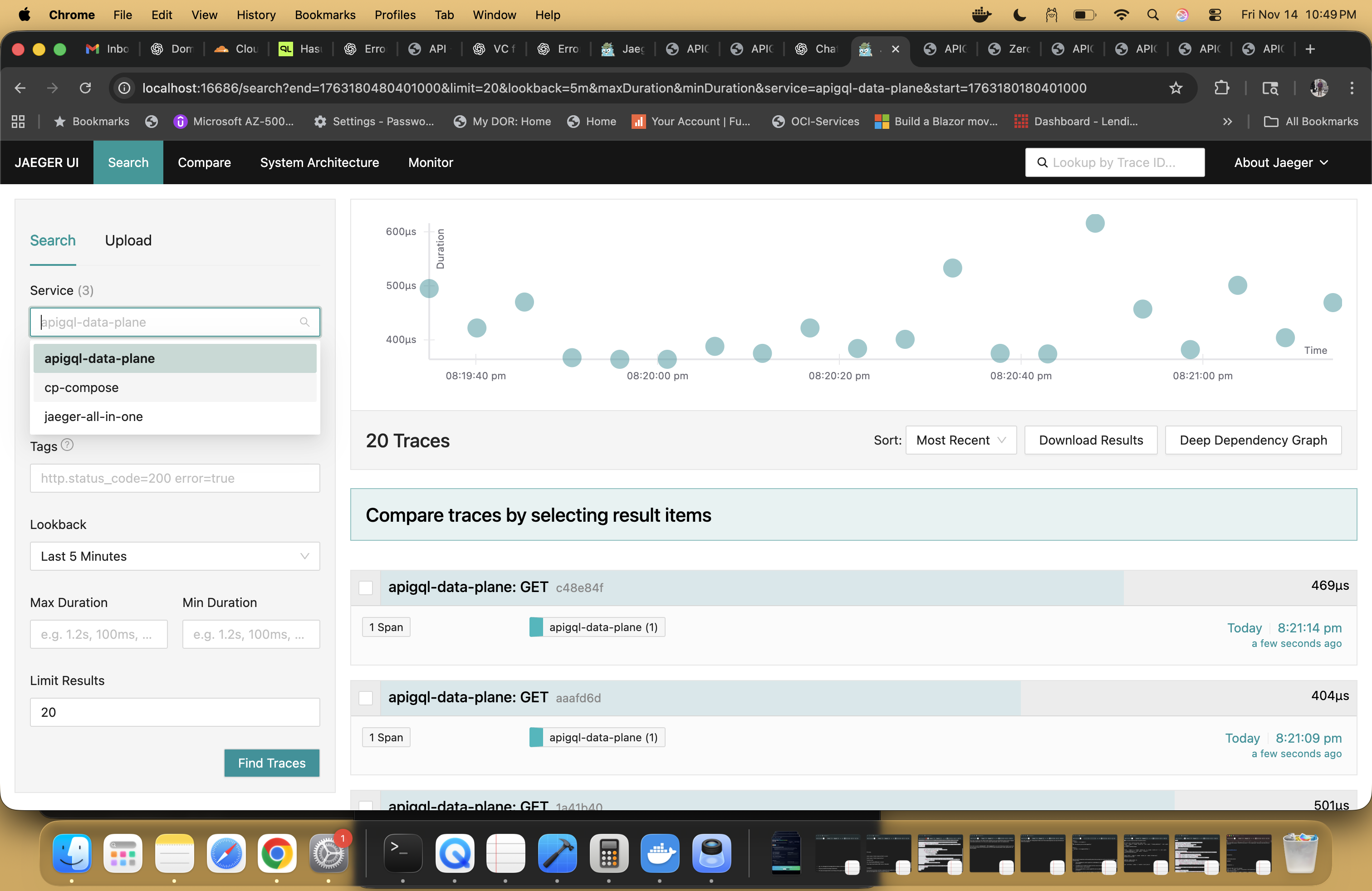
Service-level telemetry in Jaeger: pick the apigql-data-plane service, choose a lookback
window (for example, the last 5 minutes), and slice by duration or tags. Lots of options for narrowing
down noisy traffic while staying inside the same Zero-Trust, DSAR-aware trace surface.
How security works without killing latency
APIGQL keeps zero-trust and DSAR readiness in the path, but it’s designed so that PDP calls, masking, and OpenTelemetry add predictable, bounded overhead rather than surprise tax.
A. Policy decision logic (PDP)
The control plane acts as your Policy Decision Point via a decidePdp function that evaluates:
subject (who is calling), action (read, create, delete, invoke for AI),
resource (GraphQuery, DSAR, orders, etc.), and rich context such as the
exact GraphQL selections requested.
- Deny-by-default: unmatched calls fall through to
allow: false— a zero-trust baseline. - Role- and attribute-based: analysts are blocked from
create,delete, and introspection; DSAR actions are limited to admin / privacy roles. - AI-aware policy: AI invocations are explicitly gated so, for example,
isAnalyst && isAIcan be refused up front. - PII masking obligations: for an analyst’s
read, the PDP returnsobligations.mask = ["userEmail", …]instead of justallow: true.
B. Policy enforcement (PEP)
The same decision is enforced at two layers so you don’t have to re-implement security in every microservice:
- At the control plane gateway: handlers call
enforcePdpfirst. If the decision is not allowed, the request ends with403 Forbiddenbefore any backend is touched. A globalonRequesthook verifies JWTs when enabled. - At the data plane: the obligations are sent alongside the request.
The federated GraphQL engine uses
obligations.maskto redact or drop fields as it resolves data — field-level PEP at the gateway / subgraph layer.
C. Performance & overhead (PDP + DSAR + OTEL)
Security is in the hot path, but the design keeps latency under control:
- Single PDP hop per request: the control plane runs close to the data plane (same cluster / region). Decisions are evaluated in-memory; there’s no per-field RPC storm.
- Masking in-process: once obligations are attached, masking is applied inside the GraphQL resolution pipeline. It’s string/field-level work inside the data plane, not another network call.
- DSAR is explicit, not “always on”: DSAR exports and deletes run via dedicated actions. Your everyday product traffic only pays for the PDP + masking step, not for full data exports.
- Streaming preserved: because masking happens as data is resolved, streaming / chunked responses can stay fast while still respecting policy.
- Feature-tunable: you can choose lighter policies for certain internal use cases while keeping full PDP, masking, and DSAR workflows at the edge or for regulated domains.
D. Observability & auditability
Observability is wired to the same decisions, without putting the collector on your critical path:
- Span tagging: helpers like
tagPdpDecisionandtagDsarSpanattach the decision (allow flag, reason, resource, obligations) as attributes on every OpenTelemetry span. - Async export: spans are exported asynchronously to your collector (Jaeger, etc.); if the collector is slow or unavailable, queries still proceed.
- Compliance trail: you get an immutable, queryable audit trail that ties every API call and DSAR flow back to the policy that governed it — without bolting custom logging into every microservice.
Net effect: you get zero-trust by default, field-level masking, and DSAR-ready traces with a security cost that is designed to be small, predictable, and explainable to both your SREs and your auditors.